OcuraLife Review: Is the 6-in-1 Plasma Pen Worth It for At-Home Skin Imperfection Care?
Skin tags, age spots, milia, the occasional stray mole you’ve been side-eyeing in the mirror for months — most of […]
Skin tags, age spots, milia, the occasional stray mole you’ve been side-eyeing in the mirror for months — most of us have at least one small skin imperfection we’d love to deal with, but the idea of booking a dermatologist appointment (and paying the bill that comes with it) keeps getting pushed to “someday.” OcuraLife built their entire brand around closing that gap, with an at-home device called the Plasma Pen designed to let people address these concerns themselves, without the appointment, the wait, or the spa-level price tag.
In this review, we’re walking through exactly what OcuraLife offers, how the Plasma Pen works, what it’s designed to treat, what real customers report, and who this device actually makes sense for. We’ll also be upfront about the precautions worth knowing before you try any at-home skin device — because informed use matters more than hype.
What Is OcuraLife?
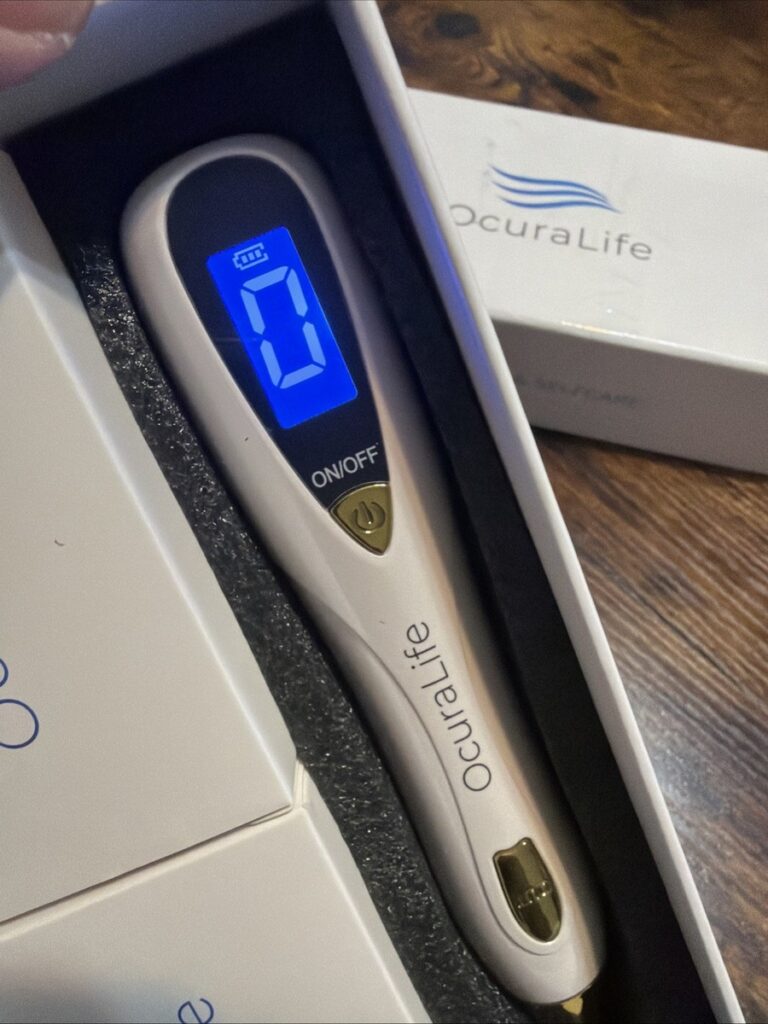
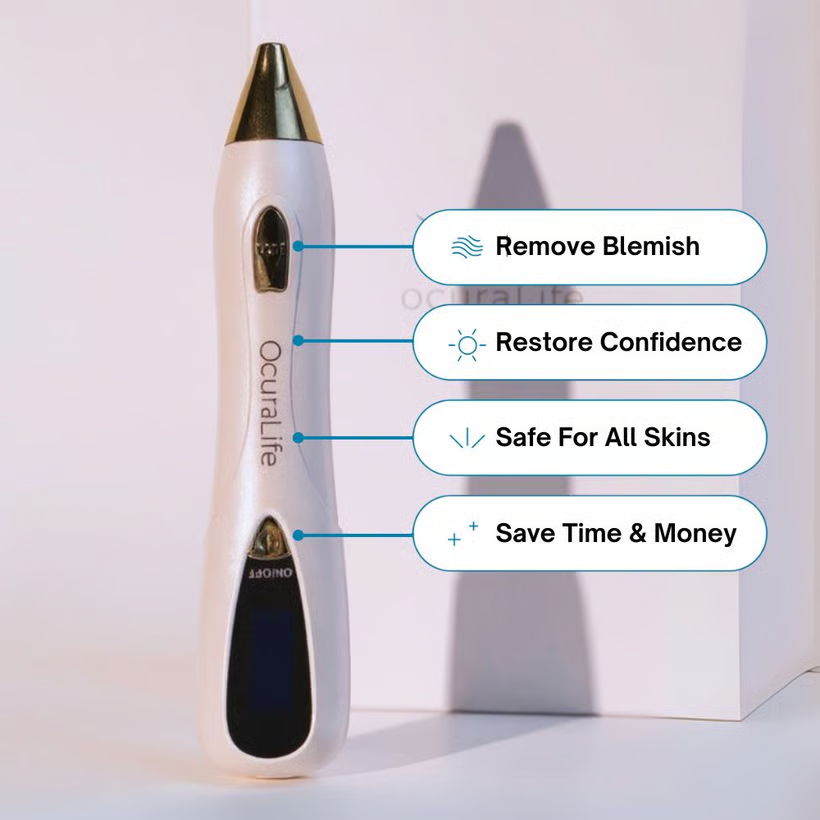
OcuraLife is a skincare brand built around a single flagship product: the 6-in-1 Skin Imperfection Removal Pen, often referred to as the Ocura Plasma Pen. The brand’s positioning is straightforward — professional-style skin treatments, made accessible at home, without appointments or the recurring cost of in-office procedures.
Rather than spreading thin across dozens of product categories, OcuraLife has built a focused ecosystem around the Plasma Pen: the device itself, replacement tips, numbing creams, healing patches, and aftercare products like recovery cream and SPF 50 sunscreen. The brand has built a sizable customer base, with their product page showing hundreds of reviews and a five-star average rating.
What the Plasma Pen Is Designed to Treat
According to OcuraLife, the Plasma Pen is designed to address a wide range of common skin imperfections, including:
- Skin tags — small, harmless skin growths that commonly appear in areas of friction like the neck, underarms, and eyelids
- Moles — pigmented spots that range from flat to raised
- Milia — tiny, hard, white bumps often found around the eyes
- Cherry angiomas — small, benign red or purple bumps caused by clusters of blood vessels
- Age spots and sun spots — flat, darkened patches that develop from years of sun exposure
- Warts — rough-textured skin growths caused by viral infection
- Seborrheic keratosis — common, harmless raised growths that increase with age
- Small dark bumps (DPN) — a condition more common in darker skin tones, appearing as small dark raised spots, typically on the face
The brand has built out an entire “Skin Library” on their site dedicated to helping customers identify exactly which of these conditions they’re dealing with before treating it — a thoughtful touch, since the right approach genuinely depends on correctly identifying the issue first.
How the Plasma Pen Actually Works
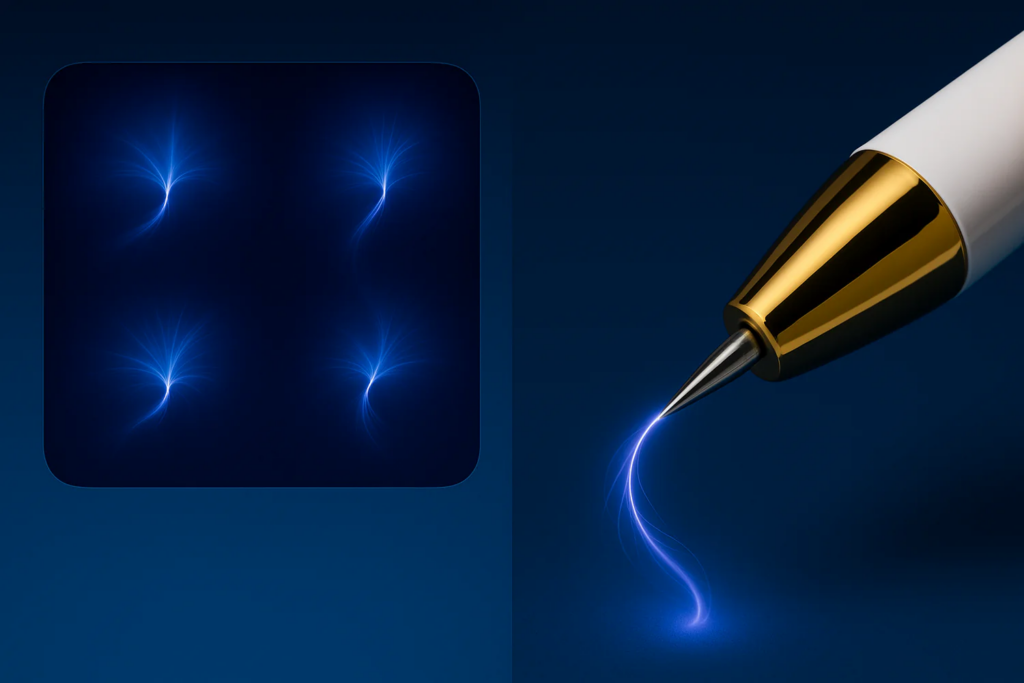
The device uses a technology often called “fibroblast” or “plasma” treatment in the at-home beauty device space. In simple terms, the pen creates a small electrical arc at its tip that doesn’t touch the skin directly but creates a localized, controlled reaction on the targeted area. This is meant to cause the imperfection to dry out and eventually flake away as part of the skin’s natural healing process over the following days to weeks.
Each OcuraLife kit reportedly includes a substantial set of interchangeable tips — OcuraLife states the kit includes several hundred dollars’ worth of premium tips designed to last for months of regular personal use, which matters since different skin concerns and areas of the body typically call for different tip sizes and intensities.
Pricing and What’s Included
The 6-in-1 Skin Imperfection Removal Pen is currently listed at $49.99, discounted from a regular price of $165.00 — a significant markdown that OcuraLife runs as an ongoing promotion. The base kit includes the pen device along with the multiple interchangeable tips mentioned above.
OcuraLife also offers a range of add-on products to round out the experience:
- Extra Professional Grade Needles — $24.99 (available in packs of 10, 50, or 100)
- Numbing Cream & Healing Patches Bundle — $34.99
- Advanced Numbing Cream — $29.99
- Healing Patches — $14.99
- Skin Therapy Recovery Cream — $23.00
- SPF 50 Ocura Sunscreen After Care — $22.00
The numbing cream and healing patches are worth calling out specifically — comfort during treatment and proper aftercare both matter for getting good results and minimizing irritation, so these aren’t just upsells; they’re genuinely relevant companion products for first-time users.
OcuraLife backs purchases with a 90-day risk-free guarantee and a 1-year warranty on the device itself, which is a reasonable safety net for a tool this category of buyer hasn’t typically used before.
What Real Customers Are Saying
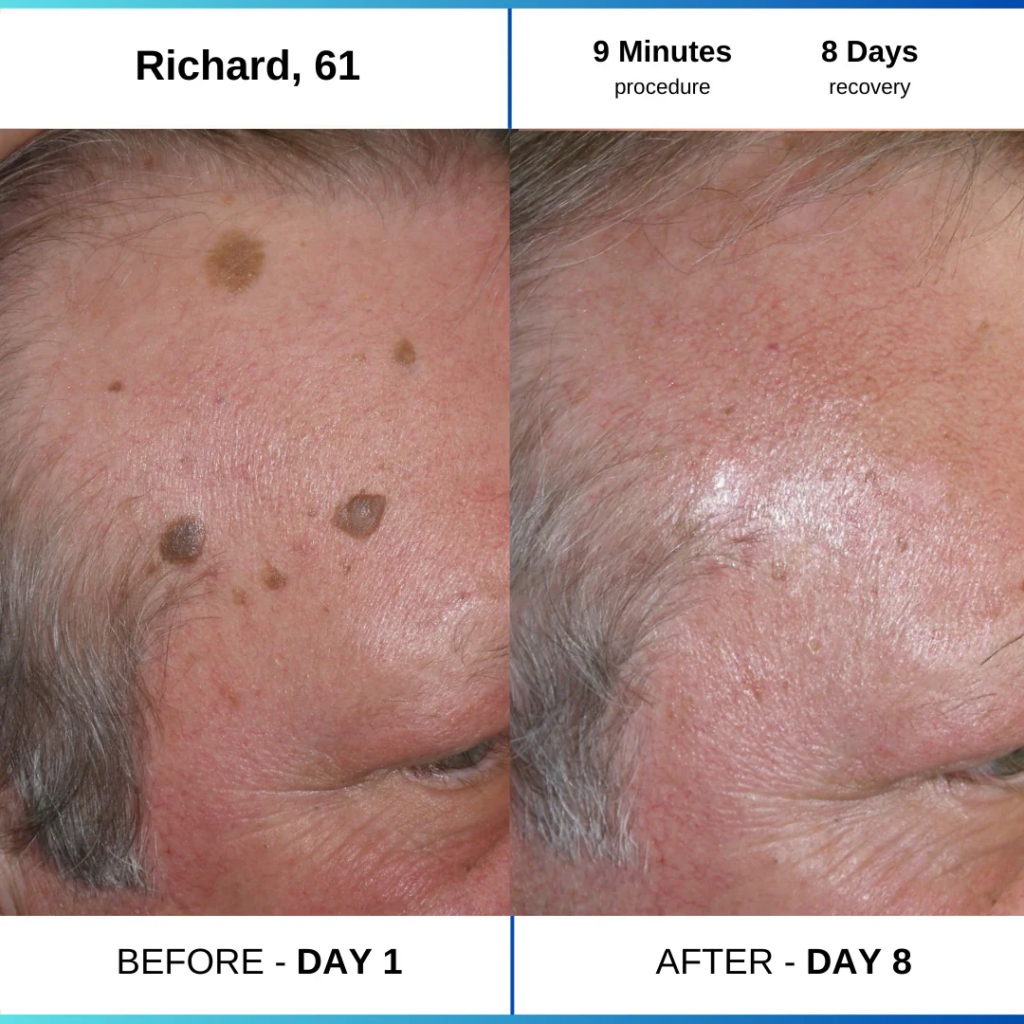
With nearly 450 reviews on the main product page, OcuraLife has accumulated a meaningful track record. Common themes in customer feedback tend to include:
“I finally got rid of skin tags I’d had for years.” This is probably the single most repeated sentiment — customers who’d lived with the same skin tag or mole for years finally addressing it without scheduling a dermatology visit.
“It’s intimidating at first, but easier than I expected.” Several reviewers mention initial hesitation about using an at-home device on their own skin, followed by relief that the process was more straightforward than anticipated once they followed the included instructions.
“The numbing cream made a real difference.” Customers who paired the pen with the numbing cream bundle consistently report a more comfortable experience than those who skipped it — which lines up with why OcuraLife sells it as a companion product rather than an optional afterthought.
“Results took a couple of weeks to fully show. As with most at-home skin treatments, results aren’t usually instant. Customers who set realistic expectations around a multi-week healing and flaking process tend to report higher satisfaction than those expecting immediate change.
Important Safety Considerations Before You Buy
Because the Plasma Pen is a device that creates a controlled reaction on the skin, a few precautions are genuinely worth taking seriously:
Always confirm what you’re treating first. Not every skin spot is what it appears to be. Some skin changes — particularly ones that are new, rapidly growing, irregularly shaped, or bleeding — should be evaluated by a dermatologist before any at-home treatment, since they could indicate something that needs proper medical attention rather than cosmetic removal.
Follow the included instructions closely. Skipping steps, using the wrong tip for the job, or treating sensitive areas (like close to the eyes) without proper care increases the risk of irritation or unwanted marks.
Patch test and start conservative. Like any new skincare device, it’s worth starting cautious — a lighter setting and a small test area — rather than going all-in on the first try.
Use aftercare seriously, not as an afterthought. The healing patches, recovery cream, and SPF aftercare exist for a reason. Proper aftercare reduces irritation risk and supports better healing results.
This isn’t a substitute for medical care. If you have a personal or family history of skin cancer, or you’re treating a spot that’s changed in size, color, or shape recently, see a dermatologist first. An at-home device is appropriate for cosmetic, benign skin concerns — not for anything that could be medically significant.
OcuraLife’s own Skin Library content reflects a similar level of caution, encouraging users to properly identify a spot before treating it — which is a responsible approach for a product in this category.
At-Home Plasma Pen vs. Professional Removal: The Real Cost Comparison
One of the biggest reasons people gravitate toward an at-home device like this is the cost difference compared to in-office procedures. It’s worth laying out the numbers plainly.
A single dermatology or med spa visit to remove a skin tag, mole, or similar benign growth typically runs anywhere from $100 to $500+ per visit, depending on your location, the provider, and how many spots you’re treating. If you’ve got multiple skin tags or a handful of age spots you’d like addressed, those costs add up fast — and many insurance plans classify these as cosmetic procedures, meaning the full cost often comes out of pocket.
By comparison, the OcuraLife kit at $49.99 includes a device designed to be reused across multiple spots and multiple sessions over months, which is a meaningfully different cost structure. Even factoring in the numbing cream and aftercare add-ons, most people will spend well under $150 total for a kit designed to last considerably longer than a single office visit would address.
| Factor | In-Office Removal | OcuraLife Plasma Pen |
|---|---|---|
| Cost per visit/spot | $100–$500+ | $49.99 one-time (covers many spots) |
| Appointment required | Yes | No |
| Wait time | Days to weeks for scheduling | None — use at home |
| Repeat use | New cost each visit | Reusable kit |
| Professional oversight | Yes, by a licensed provider | No — self-administered |
| Best for | Concerning or complex spots | Identified, benign cosmetic concerns |
That last row matters most. The cost savings are real, but they come with a tradeoff: no professional setting eyes on the spot before treatment. That’s exactly why properly identifying what you’re treating — using OcuraLife’s own Skin Library resources or a quick dermatologist consult — is such an important first step before reaching for the device.
What Makes OcuraLife Different From Other At-Home Skin Devices
The at-home beauty device market has grown considerably, and plasma-style pens aren’t unique to OcuraLife. A few things do stand out about their specific approach, though.
The educational content is unusually thorough. Most competitors sell the device and leave identification up to the customer. OcuraLife has built out dedicated pages covering specific conditions — cherry angiomas, seborrheic keratosis, DPN, milia, and more — each with its own explanation of what the condition is and how it typically presents. That’s a meaningfully more responsible approach than a generic “treats everything” sales page.
The aftercare ecosystem is built in, not bolted on. Rather than treating numbing cream and healing patches as upsells, OcuraLife frames them as part of a complete treatment system. Customers who’ve used similar devices without proper aftercare often report more irritation and longer healing times, so this structural choice toward bundling aftercare is a meaningful difference.
The guarantee structure reduces first-time buyer risk. A 90-day risk-free window combined with a full year of warranty coverage on the device gives first-time users genuine room to try the product without much financial risk if it doesn’t work out for their specific situation.
A large, visible review base. With hundreds of public reviews tied directly to the product page, prospective buyers get a reasonably large sample size of real customer experiences to evaluate before purchasing — more transparency than many newer device brands offer.
Who Is the OcuraLife Plasma Pen Best For?
People with long-standing, identified skin tags or moles they’ve already discussed with a doctor and confirmed are benign and cosmetic in nature.
Anyone who wants to avoid the recurring cost of in-office removal procedures, which can run hundreds of dollars per visit at a dermatology office or med spa.
People comfortable with a DIY approach to skincare, who are willing to follow instructions carefully and invest in proper aftercare.
Those treating common, well-documented cosmetic concerns like milia, cherry angiomas, or age spots that aren’t medically concerning.
This is probably not the right fit for anyone uncomfortable performing a self-treatment procedure, or anyone dealing with a skin change they haven’t had professionally evaluated yet.
How to Get the Best Results With the Plasma Pen
If you decide to try it, a few practical tips can meaningfully improve your experience:
Pair it with the numbing cream from day one. Don’t wait until your first uncomfortable session to consider it — order it together and use it from the start.
Read the included Skin Library content first. OcuraLife’s site has detailed guides on identifying different spot types — use them before you start, not after.
Don’t rush the healing process. Most users report results unfolding over one to two weeks. Resist the urge to “check” by picking at the treated area.
Stock up on healing patches and SPF aftercare. Protecting the treated area from sun exposure during healing is one of the most important steps for a clean result.
Take before photos. It’s hard to judge gradual improvement without a reference point — a simple phone photo before you start makes the multi-week healing process easier to track.
Frequently Asked Questions
Is the OcuraLife Plasma Pen painful to use? Customer experiences vary, but many report mild discomfort rather than significant pain, especially when paired with the numbing cream OcuraLife sells alongside the device. Sensitivity varies by individual and by treatment area.
How long does it take to see results? Based on customer feedback, most users report visible improvement over one to two weeks as the treated area naturally heals and the targeted imperfection flakes away.
Is this safe to use at home without medical training? The device is designed for at-home cosmetic use on benign, already-identified skin concerns. However, any new, changing, or unusual skin spot should be evaluated by a dermatologist before treatment — this device is not a diagnostic tool.
What’s included in the $49.99 kit? The base kit includes the Plasma Pen device along with a set of interchangeable tips. Add-ons like numbing cream, healing patches, and aftercare products are sold separately as optional bundles.
Does OcuraLife offer a guarantee? Yes — OcuraLife backs the Plasma Pen with a 90-day risk-free guarantee and a 1-year warranty on the device, giving first-time buyers a reasonable safety net if the product doesn’t end up being the right fit for their specific skin concern.
Can the Plasma Pen be used on the face and around sensitive areas like the eyes? Many customers do use the device on facial skin tags and milia near the eye area, but this is precisely where care, the correct tip size, and close attention to the included instructions matter most. When in doubt about a sensitive area, starting elsewhere first or consulting a professional is the safer approach.
Final Verdict: Is OcuraLife Worth Trying?
For people dealing with common, already-identified cosmetic skin concerns — skin tags, age spots, milia, and similar benign imperfections — OcuraLife’s Plasma Pen offers a genuinely interesting alternative to repeated, costly dermatology visits. The brand backs the device with a real guarantee, builds out genuinely useful educational content to help users identify what they’re treating, and has accumulated a substantial base of positive customer feedback.
That said, this is a device that rewards careful, informed use. Read the instructions, invest in the numbing cream and aftercare products, and — most importantly — make sure you’ve correctly identified what you’re treating before you start. Used responsibly, it’s the kind of tool that can finally take care of that one skin tag you’ve been meaning to deal with for the last three years — without another rescheduled dermatology appointment standing in the way.
👉 See current pricing and bundles for the Plasma Pen: OcuraLife Official Store
Read More At: emmagilt.com
Recommended for you
 Elevate Styles Review: Is This the Most Trusted Place to Buy Wigs Online?
- Elevate Styles Guide: Discover the Stunning Truth About Synthetic vs. Human Hair Wigs
 SISSEL Foam Roller: Welche Härte passt zu dir?
 Honey Acres: The Ultimate Guide to Kosher Certified, Gluten-Free, and Big 9 Allergen-Free Treats
 Kyor OUTGLOW Review: The Effortless Skin Supplement That Actually Transforms Your Glow
 Vermont Teddy Bear Graduation Gift: Cute, Not Cheesy